AI case studies
Before-and-after workflows at nine client companies.
If you need to verify the contracts and the acceptance, we put an NDA in place and show you the contract list and the acceptance records directly in a consultation.
Spotlight
Pick an industry
Logistics & SCM
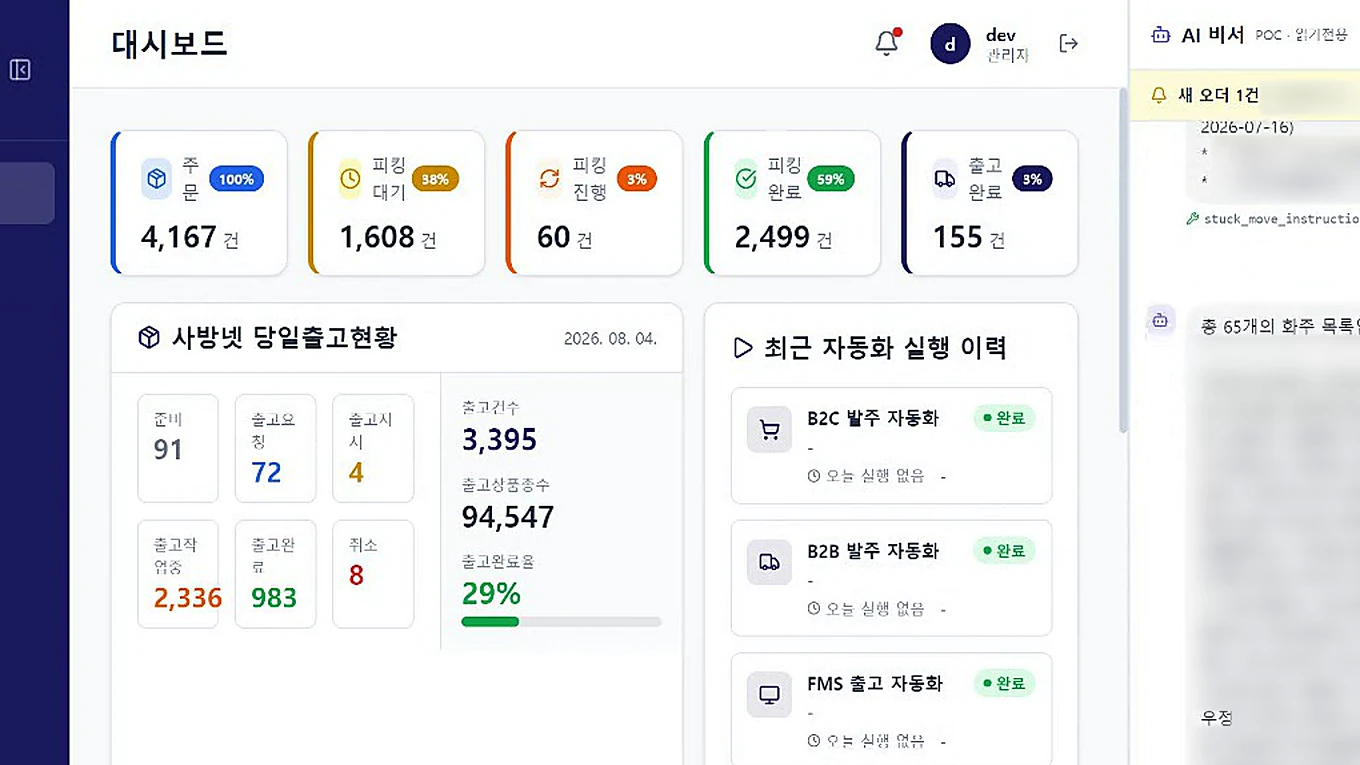
Logistics AI agent
Ask in the messenger, get shipping status back
- The work that kept repeating
- Order, picking and shipping status lived on separate screens, and instructions arrived by messenger only to be retyped into the system.
- The new way it runs
- Ask for status in conversation and trigger automations from there. Instructions arriving by messenger are read by AI and organized into work items.
Manufacturing & quality
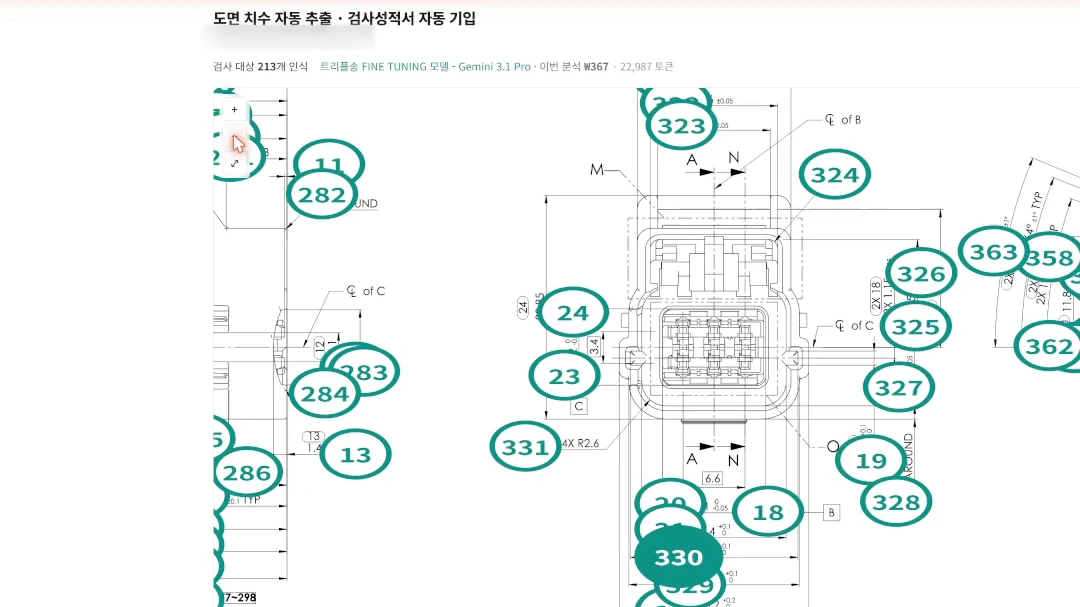
Drawing inspection automation
Reads drawing dimensions and fills the inspection report
- The work that kept repeating
- Inspectors zoomed into drawings, checked each dimension and tolerance, numbered them, then copied everything into the report by hand.
- The new way it runs
- Upload a drawing and AI recognizes dimensions and tolerances, numbers them, and fills the inspection characteristics table. Results download straight to Excel.
Legal
Legal case-management AI
Litigation deadlines calculated and flagged automatically
- The work that kept repeating
- Every day meant logging into the court e-filing portal to check status and copying deadlines from served documents onto a calendar. With hundreds of cases, missing one is irreversible.
- The new way it runs
- Cases and hearing dates are collected automatically, statutory deadlines are pulled from the served documents and counted from their start date, and draft filings and argument strategy are built on the case record.
Finance & tax
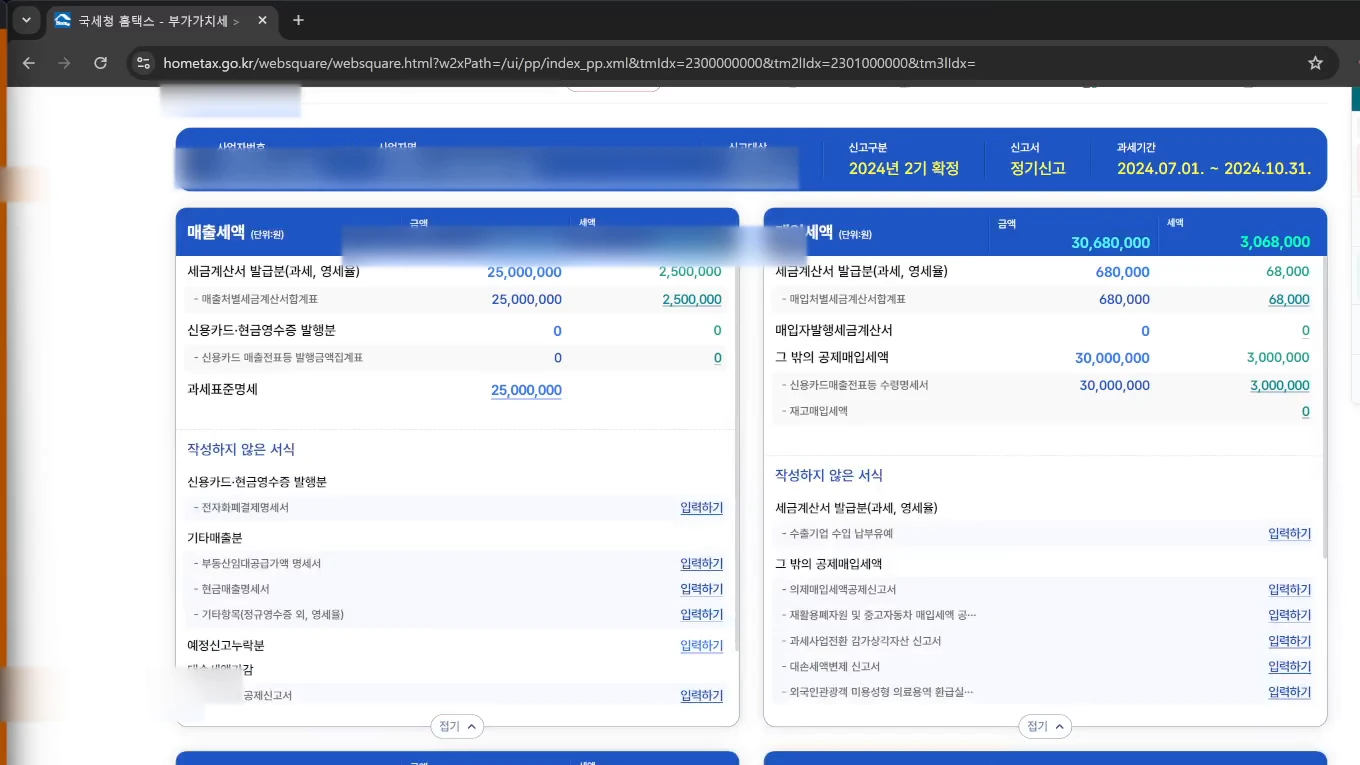
Tax filing automation
Files Hometax returns client by client
- The work that kept repeating
- For each client, someone logged into the tax portal, opened the same screens and entered values in the same order. More clients meant proportionally more hours.
- The new way it runs
- One Excel file drives the filing sequence for many clients. Sales and purchase statements are filled by AI reading the filing documents, and a person only checks before submission. Each step logs its progress and errors, so you see exactly where it stopped.
- 9
- Systems we delivered and still operate
- 10,000
- Registered users of the business systems we build and run
- 4 industries
- Core industries — legal · manufacturing & quality · logistics & SCM · finance & tax (cases span 9 fields)
Nine systems in operation
Systems our clients use today
Eight of the nine are real production screens with client details masked; the legal system is not shown.
9 / 9
- 01
Litigation deadlines calculated and flagged automatically
- Before
- Log in→read served docs→copy deadlines
- After
- Auto-collect→extract deadline→alert
Details
- The work that kept repeating
- Every day meant logging into the court e-filing portal to check status and copying deadlines from served documents onto a calendar. With hundreds of cases, missing one is irreversible.
- The new way it runs
- Cases and hearing dates are collected automatically, statutory deadlines are pulled from the served documents and counted from their start date, and draft filings and argument strategy are built on the case record.
- 02
Ask in the messenger, get shipping status back
- Before
- Many screens→messenger orders→retype
- After
- Ask→orders sorted→run
Details
- The work that kept repeating
- Order, picking and shipping status lived on separate screens, and instructions arrived by messenger only to be retyped into the system.
- The new way it runs
- Ask for status in conversation and trigger automations from there. Instructions arriving by messenger are read by AI and organized into work items.
- 03
Reads drawing dimensions and fills the inspection report
- Before
- Zoom drawing→check dims→type report
- After
- Upload→read drawing→Excel
Details
- The work that kept repeating
- Inspectors zoomed into drawings, checked each dimension and tolerance, numbered them, then copied everything into the report by hand.
- The new way it runs
- Upload a drawing and AI recognizes dimensions and tolerances, numbers them, and fills the inspection characteristics table. Results download straight to Excel.
 04
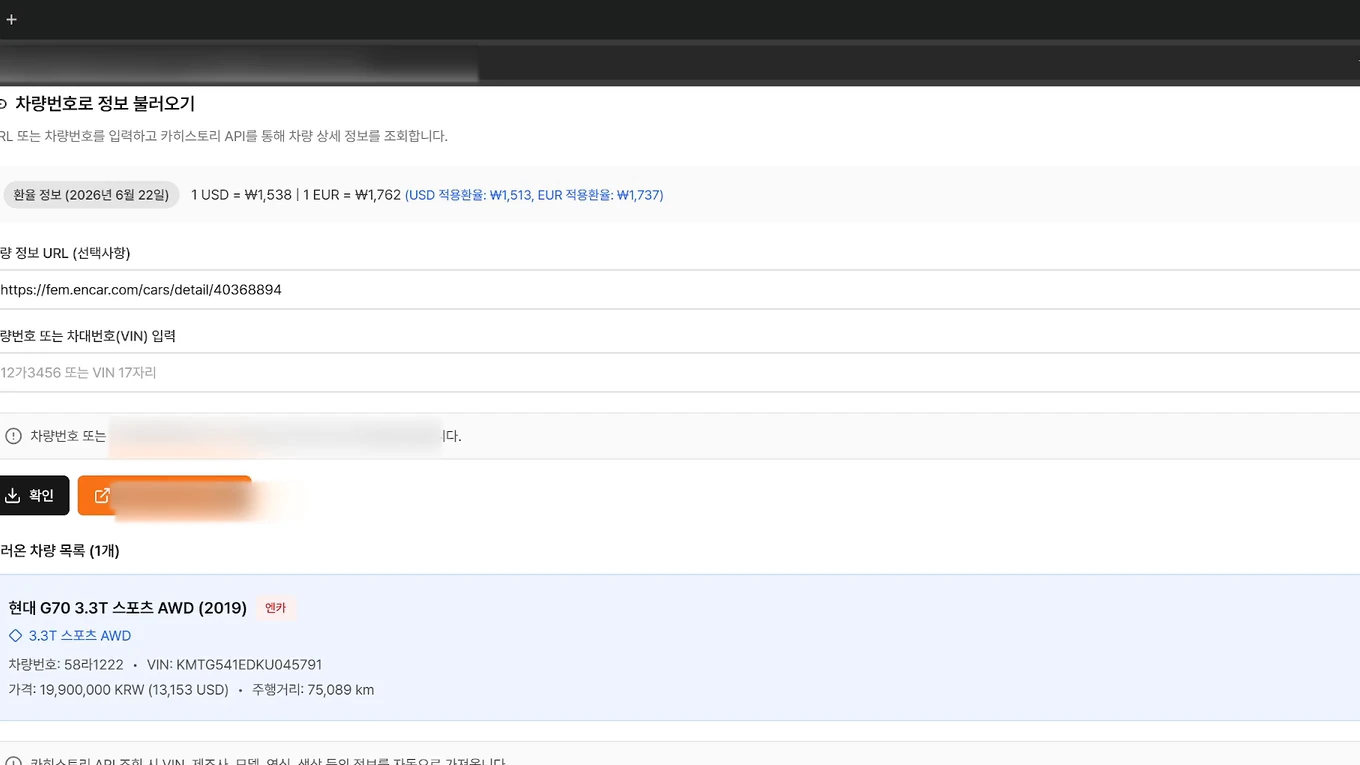
04Offers to export documents in one system
- Before
- Manual entry→scattered files→redo docs
- After
- Offer→settlement→docs generated
Details
- The work that kept repeating
- Vehicle details were retyped every time, and quoting, inspection, purchasing, shipping and settlement lived in separate files. Export documents were rebuilt from scratch at the end.
- The new way it runs
- Vehicle details are pulled in automatically to register an offer, and everything from quote to settlement runs as one flow. Invoices and packing lists are generated from the data already captured.
 05
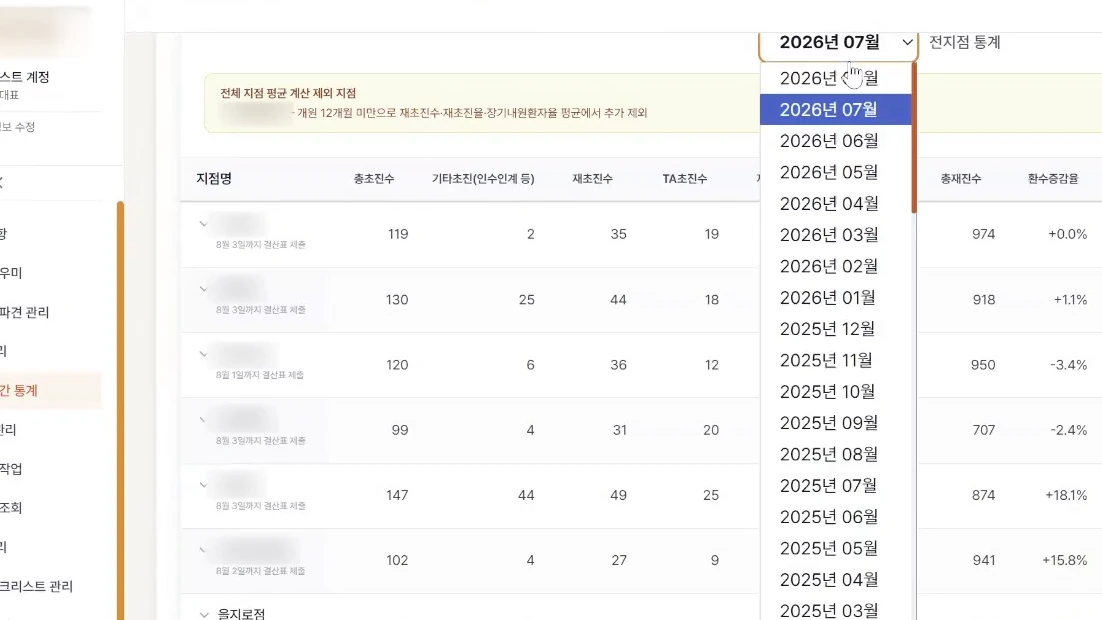
05AI writes monthly performance comments per branch
- Before
- Collect figures→interpret→write commentary
- After
- Auto-collect→AI commentary→report
Details
- The work that kept repeating
- Monthly performance was compiled per branch and per practitioner, then interpreted into written management commentary by hand. More branches meant only more writing time.
- The new way it runs
- Performance is compiled automatically and AI generates monthly commentary per practitioner. You set the guidance the commentary follows, and the result comes out as a report.
 06
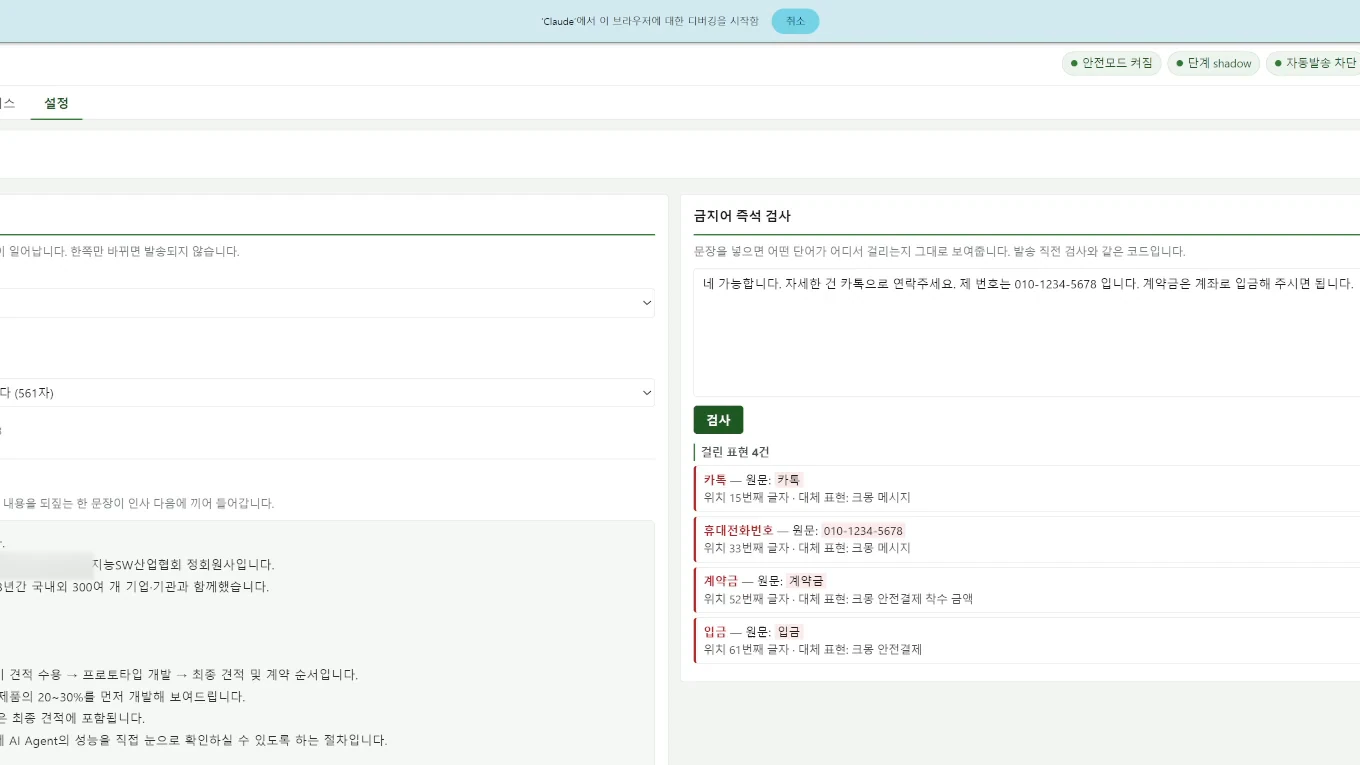
06Drafts inquiry replies and screens banned phrases
- Before
- Inquiry→write from scratch→send
- After
- Draft→evidence check→send
Details
- The work that kept repeating
- Similar answers were rewritten from scratch each time, and replies were slow whenever the team was busy. Rushed answers sometimes contained things that should not have been said.
- The new way it runs
- Draft replies are produced from a knowledge base and go through a review stage that shows its reasoning. Prohibited wording is caught before anything is sent.
 07
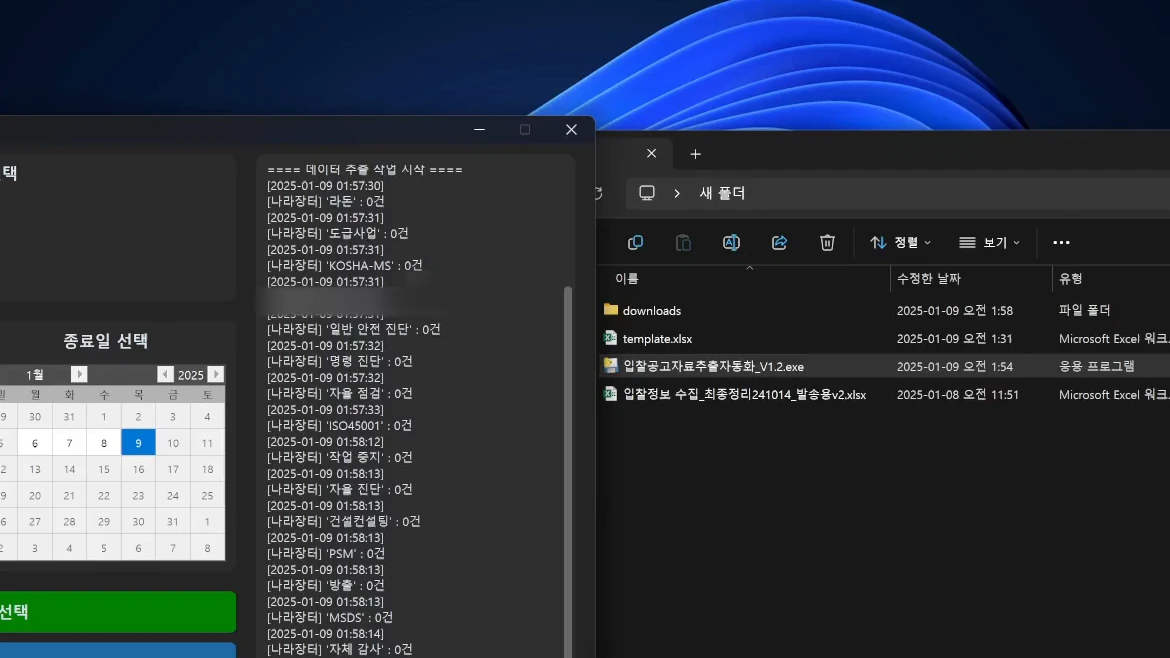
07Collects tender notices into a spreadsheet
- Before
- Open each site→check→copy to Excel
- After
- Pick targets→collect→Excel
Details
- The work that kept repeating
- Several sites, the national procurement portal KONEPS among them, were opened every day to review notices, with the relevant fields copied by hand into an Excel file.
- The new way it runs
- Choose the sites and the date range, and notices are gathered with only the needed fields pulled into an Excel file. It handles hundreds in one run.
- 08
Files Hometax returns client by client
- Before
- Log in per client→same screens→same entries
- After
- One Excel file→run in order→log
Details
- The work that kept repeating
- For each client, someone logged into the tax portal, opened the same screens and entered values in the same order. More clients meant proportionally more hours.
- The new way it runs
- One Excel file drives the filing sequence for many clients. Sales and purchase statements are filled by AI reading the filing documents, and a person only checks before submission. Each step logs its progress and errors, so you see exactly where it stopped.
 09
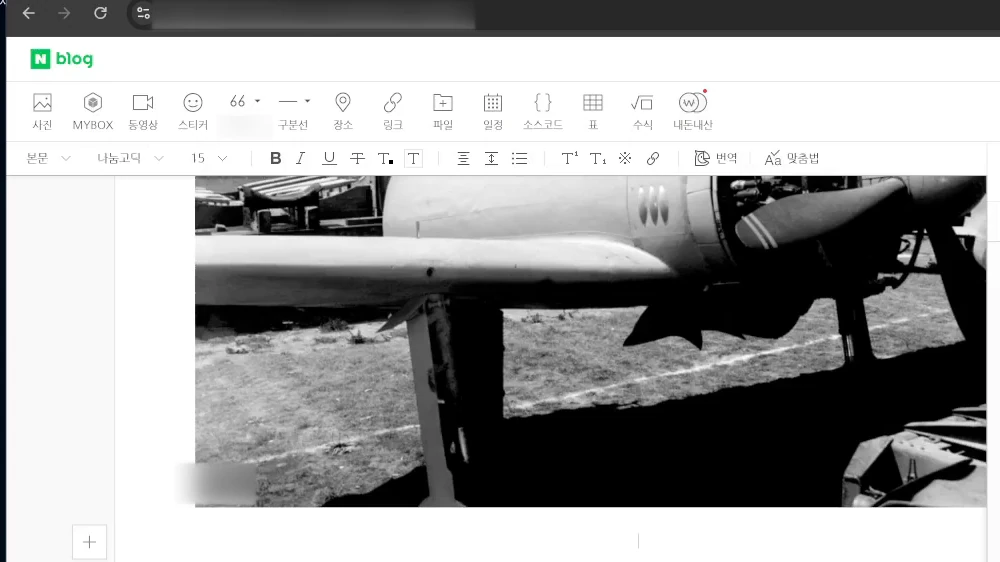
09Writes and publishes posts from a set of guidelines
- Before
- Keyword→draft→image→publish
- After
- Set guidance→generate→publish log
Details
- The work that kept repeating
- Each post repeated the same steps: choosing keywords, writing the copy, adding images and publishing. Quality wavered as the volume grew.
- The new way it runs
- Set the keywords and writing guidance once, and copy is produced, images attached and posts published. A publishing history records what went out and when.
Screens in motion
See the screens actually running on our YouTube channel
Public videos with client details masked
We can diagnose your work too
Tell us about one task you do today and we will map its workflow.