AI system builds · AI agent development
AI system builds · AI agent development — We build AI systems that run in daily work
We integrate with your systems, add a verification gate, and run it.
- We build
- Agents · systems · automation
- You receive
- System · source code
- After
- Verification gate · monitoring
What we do
What the build covers
AI agents and business systems
Systems built around your workflow, connected to the ERP and groupware you already use.
Workflow automation
Software handles fixed procedures such as entry, lookup and sending.
Document and data AI
Values are read from drawings, contracts and filings and organised into tables.
Operation and monitoring
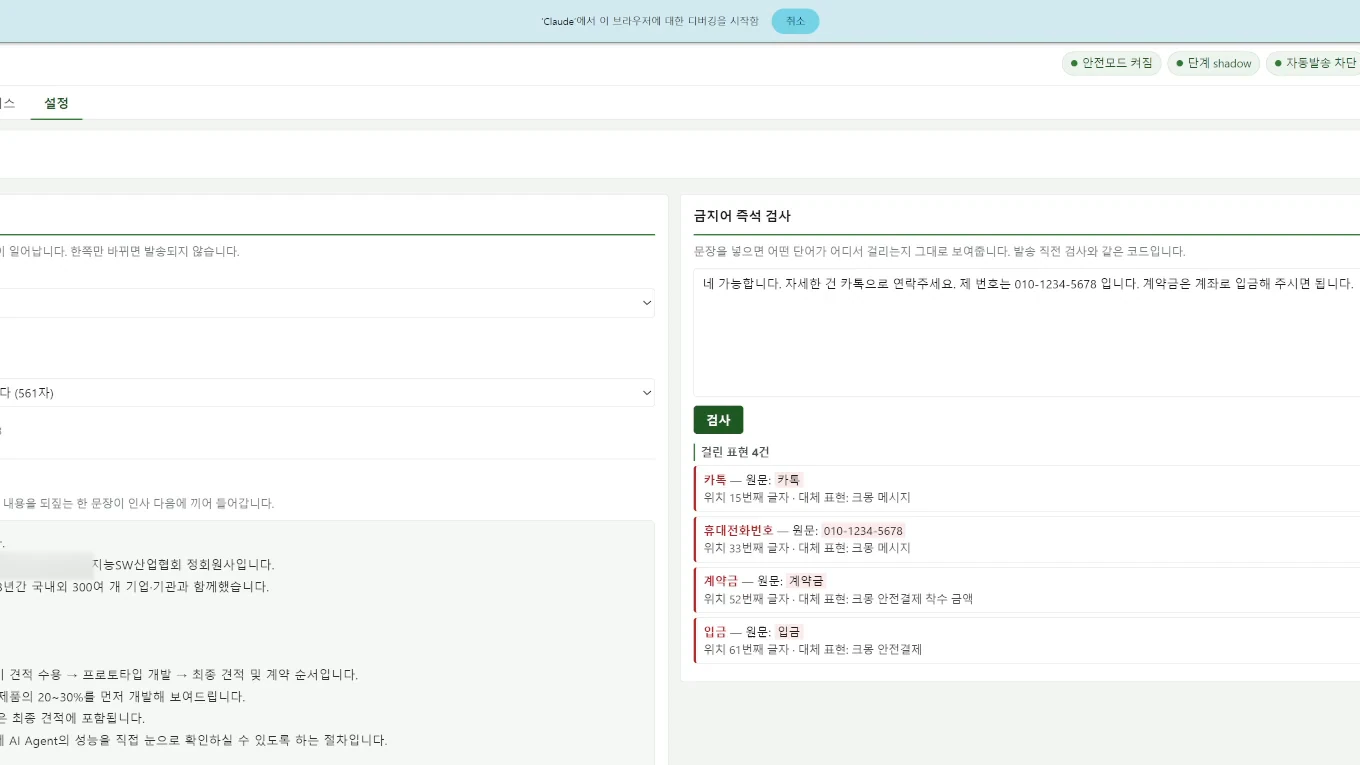
Validation gates check every result, unclear cases go to a person, and we keep improving from the operating logs.
Spotlight
Pick an industry
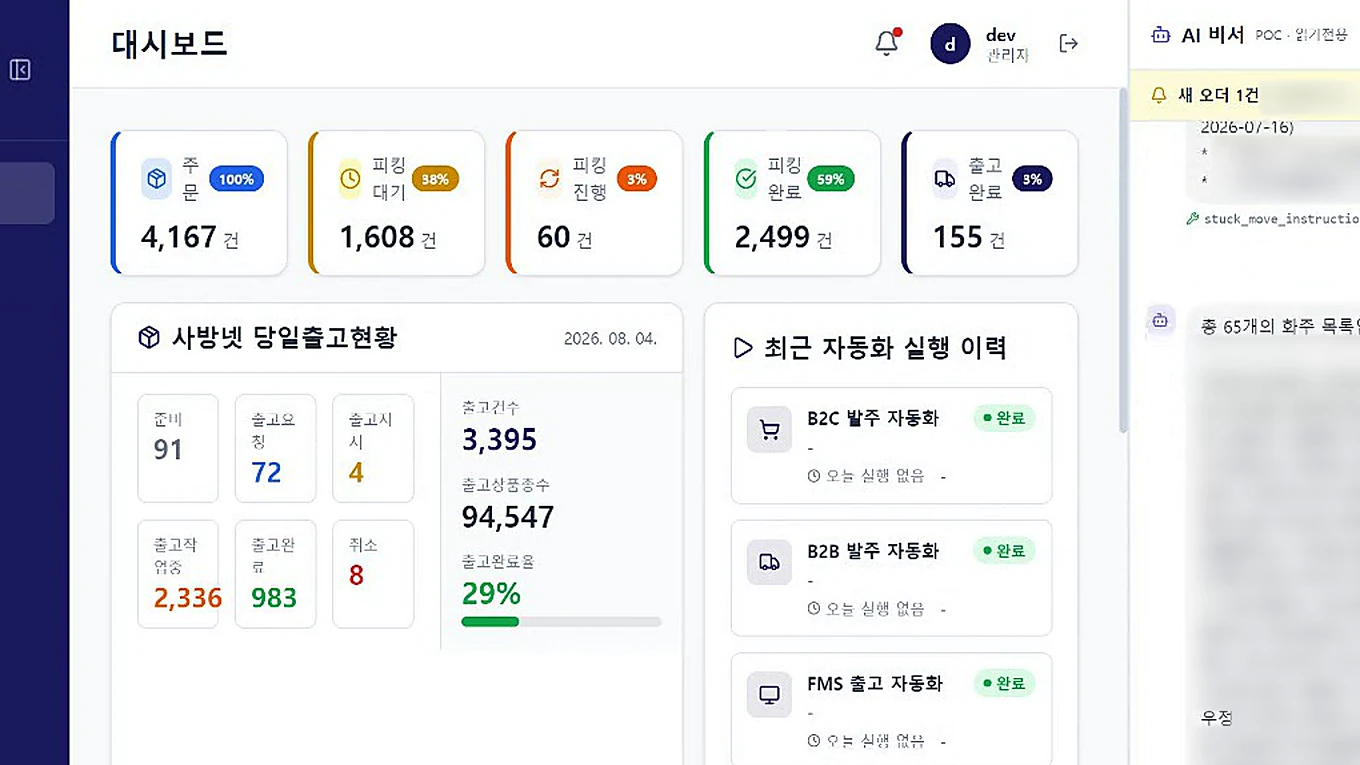
Logistics & SCM
Logistics AI agent
Ask in the messenger, get shipping status back
- The work that kept repeating
- Order, picking and shipping status lived on separate screens, and instructions arrived by messenger only to be retyped into the system.
- The new way it runs
- Ask for status in conversation and trigger automations from there. Instructions arriving by messenger are read by AI and organized into work items.
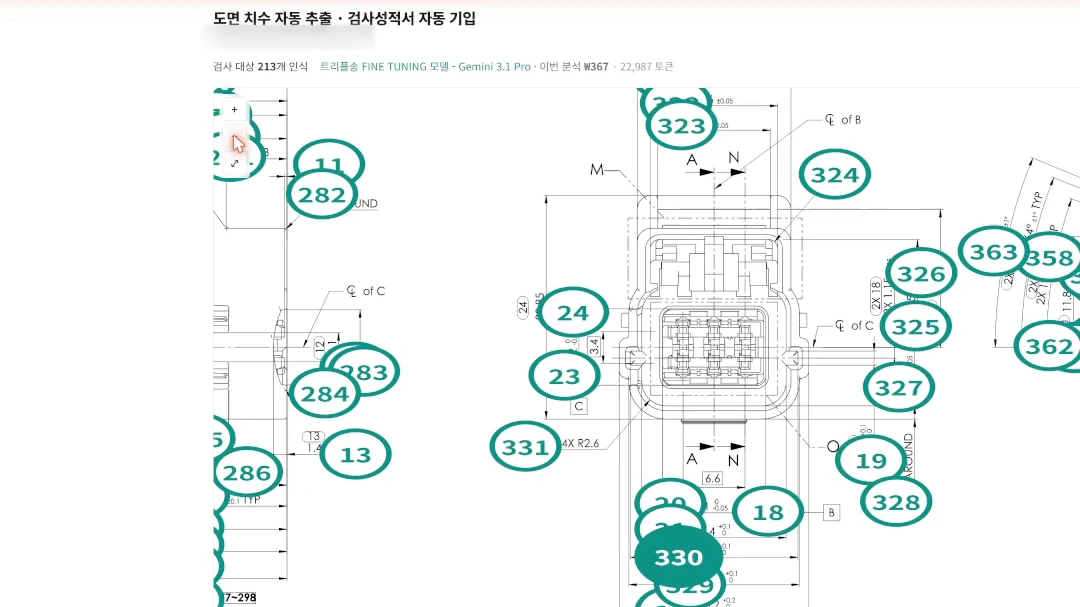
Manufacturing & quality
Drawing inspection automation
Reads drawing dimensions and fills the inspection report
- The work that kept repeating
- Inspectors zoomed into drawings, checked each dimension and tolerance, numbered them, then copied everything into the report by hand.
- The new way it runs
- Upload a drawing and AI recognizes dimensions and tolerances, numbers them, and fills the inspection characteristics table. Results download straight to Excel.
Legal
Legal case-management AI
Litigation deadlines calculated and flagged automatically
- The work that kept repeating
- Every day meant logging into the court e-filing portal to check status and copying deadlines from served documents onto a calendar. With hundreds of cases, missing one is irreversible.
- The new way it runs
- Cases and hearing dates are collected automatically, statutory deadlines are pulled from the served documents and counted from their start date, and draft filings and argument strategy are built on the case record.
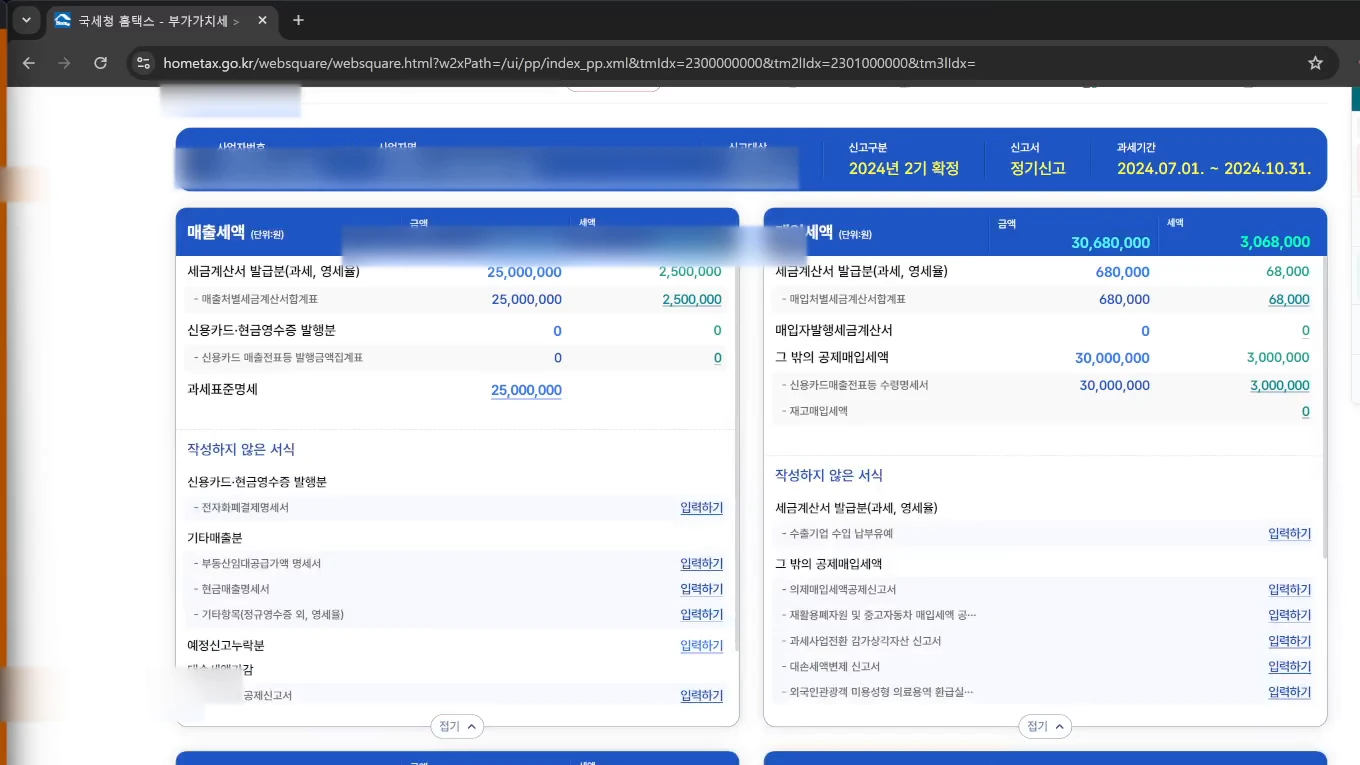
Finance & tax
Tax filing automation
Files Hometax returns client by client
- The work that kept repeating
- For each client, someone logged into the tax portal, opened the same screens and entered values in the same order. More clients meant proportionally more hours.
- The new way it runs
- One Excel file drives the filing sequence for many clients. Sales and purchase statements are filled by AI reading the filing documents, and a person only checks before submission. Each step logs its progress and errors, so you see exactly where it stopped.
What we build on
We build your workflow on top of solutions we made ourselves
TS AI Gateway
The company gate that lets employees use AI with confidence.
TS AI Engine
AI that never sends an answer without evidence.
TS AI Agent
AI that carries out tasks from a message.
How we work
One owner from diagnosis to operation
01
Assess
Decide what changes first
Assessment report · Priorities · Adoption plan
02
Design
Screens, integrations, rules
Screen design · Integration spec · Verification rules
03
Build
Until it runs on the floor
System · Source code · Deployment guide
04
Embed
Until staff actually use it
Training materials · Exercises · Internal guide
05
Operate
Check and keep improving
Operations console · Response history · Improvement reports
The person you first meet owns all five steps
Where assessments led
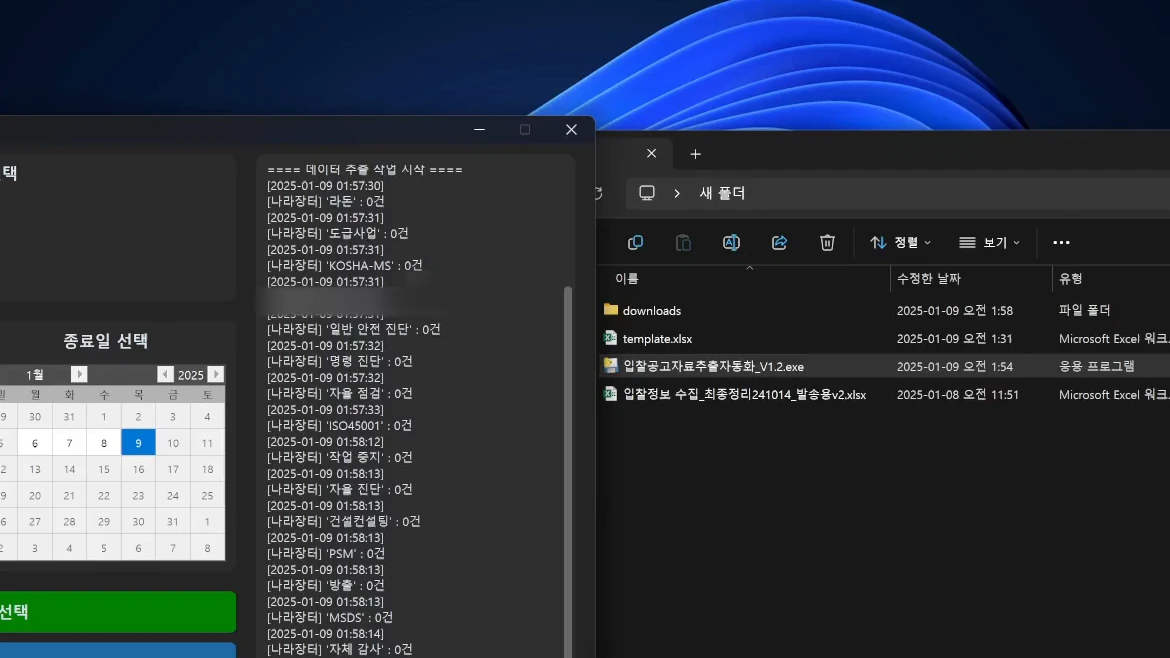
What runs today after an assessment
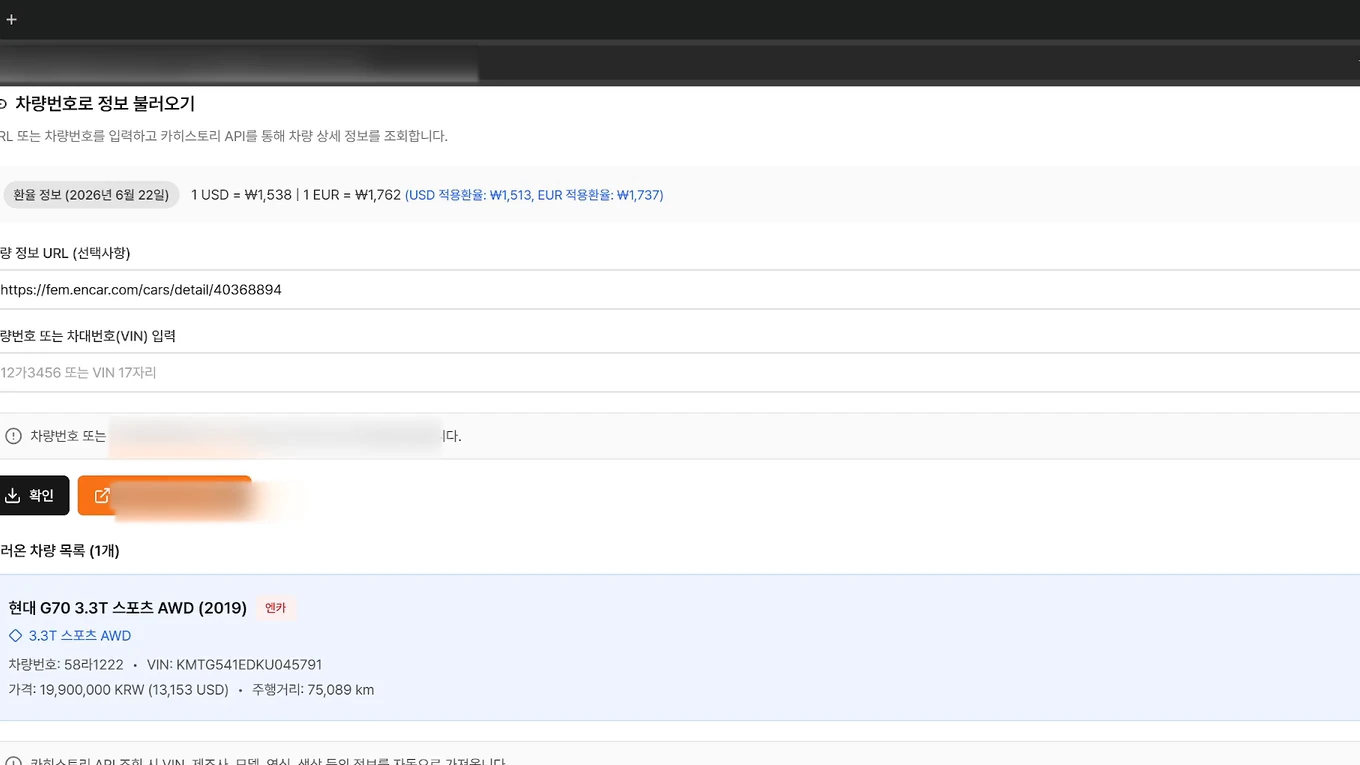
FAQ
Questions about this service
A verification gate checks AI output against rules before it goes out — is there a source document, are there forbidden phrases, are values within range — and hands failures to a person. Monitoring is the screen and routine for watching that the system runs properly every day: volumes, exceptions and errors are recorded and used to keep improving it.
AI agents and business systems (web and desktop), workflow automation for repetitive entry, lookups and sending, and document/data AI that extracts values from drawings, contracts, tax forms and tender notices — and we operate them afterwards.
Integration is the default. We use APIs where they exist and drive the screen directly where they do not; the no-API case is disclosed up front as a difficulty factor in the quote.
We design for it. Verification gates check results against rules, the system declines to answer without a source document, and unclear or risky cases go to a person. Every step is logged.
We do not quote a standard timeline, because a guess made before requirements are known turns into a promise. Once the assessment fixes the scope, we estimate time and cost together.
We can run operations and monitoring. Maintenance is not a fixed percentage of the build cost; it is estimated from the hours your scope actually needs. Source code transfers on final payment by default.
We decide together which task runs first
If what to build is already decided, we start there; if not, we start with the assessment.